
Table of Contents
How to purchase wordpress theme from themeforest ?
Now we are going to learn how to get wordpress theme from themeforest.com and install theme on our wordpress website. Here is some easy and best steps to Download theme from themforest and install theme. Themeforest is product on envato market. Themeforest have more than 17,000 Themes. We can find out so many themes for any kinds of websites in multiple options. We can look demo and screenshots of theme before make purchase these features helps us to choose best & suitable theme for us.
Step 01 : Go to https://webnerdzone.com/themeforest or click here.
Step 02 : Search and choose best theme for you.
Step 03 : Click on theme or open full page.
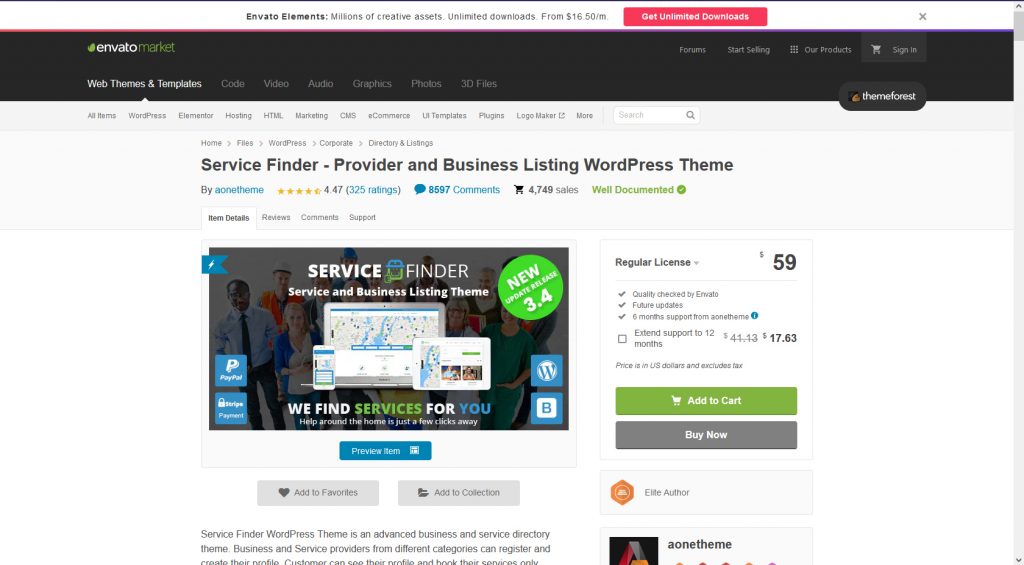
You may view a demo website before purchase. By checking demo pages yo can decide you have to purchase this theme or not.
Step 04 : Click on Add to cart
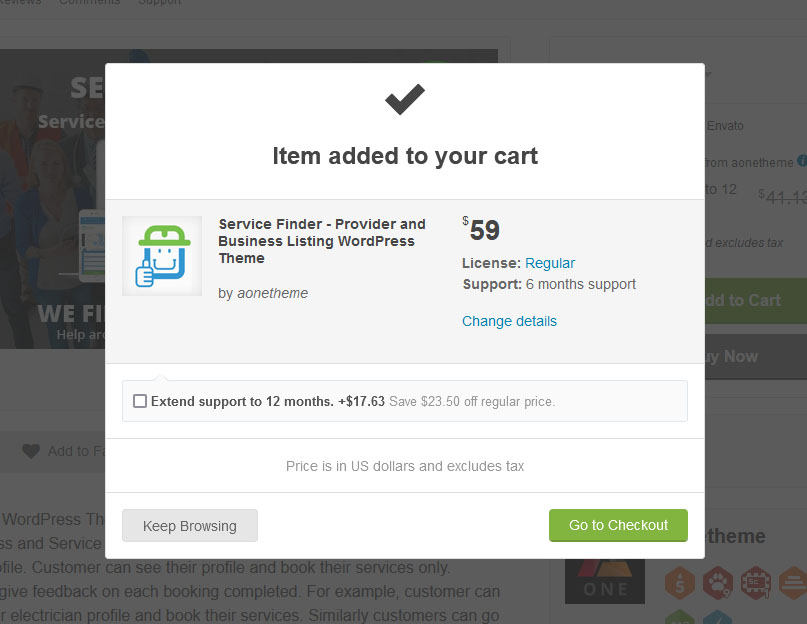
You will see cart interface like this
Step 05 : Click on Go to checkout. (If you need more supports time then you may tick on Extend supports chechbox)
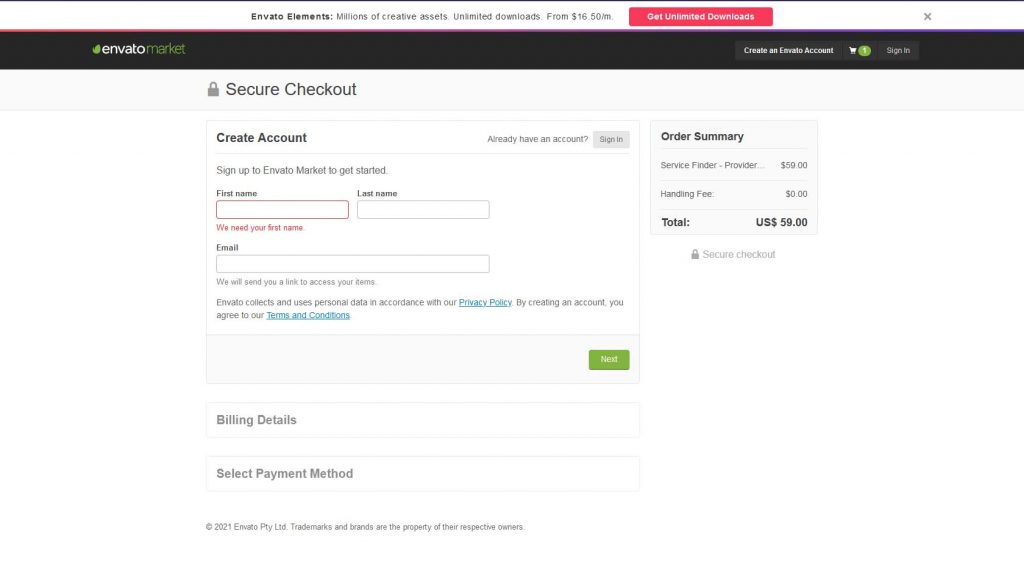
Step 06: If you have already account of envato market you can simply go through sign in and if you don’t have account then you have to create a account. Fill all the required details and click next and fill your billing details and payment method.
Step 07 : After you made a payment you can download theme package from download panel. Go to downloads on sing in drop down.
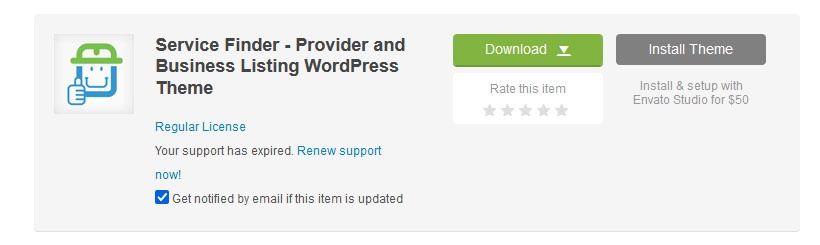
Step 08 : Download all files and get Zip file.
How to install theme on WordPress or cPanel ?
Method 01 to install theme on wordpress
Step 01 : Extract downloaded theme zip file.
Step 02 : Go to wordpress dashboard and go to appearance and click on theme.
Step 03 : Click in Add new button and click in Upload theme.
Step 04 : now click on browse and choose theme from your downloaded and extracted files. (Make sure your theme in on main download folder and you can see another zip file with theme name)
Step 05 : After selecting your theme file click on install now button. and your theme will be started to install.
Step 06 : After complete installation you have to activate theme. and some theme required some plugins you have to let them install plugins by click on suggested install plugins link.
Method 02 to install theme on wordpress on cPanel
Some time method 01 doesn’t work and show something error like : requited time out / Link expired etc. In that case you may follow this steps.
Step 01 : Go to your cPanel.
Step 02 : Click in file manager.
Step 03 : Select Public_html folder.
Step 04 : Open Wp-Content folder.
Step 05 : Open Themes folder.
Step 06 : Click on Upload tab on Top bar menu
Step 07 : Upload your theme which you have downloaded and extracted. (Make sure your theme in on main download folder and you can see another zip file with theme name)
Step 08 : After complete 100% go back to theme folder.
Step 09 : Now you have to extract theme. Select theme zip file and click on extract.
Step 10 : You can delete zip file after exaction. Now go to WordPress dashboard.
Step 11 : go to Appearance and theme. Here you can see installed our theme.
Step 12 : Now you have to click on activate theme and install some required plugins.
Now you can make your website as theme demo or design on your own concept. and you may also import demo ready-made webpages. You may check my website which is made by using this theme which i have use as props here . https://gplusfinder.com/
And you can watch in video tutorials also on my YouTube channel : WEBnerd Zone
Now Here we have learned How to install wordpress theme from themeforest ? if you need more ideas about blogging you may read my other posts and you may subscribe newsletter for future posts. Please comeback to Web Nerd Zone for more ideas. Thank You.



Thanks